|
Worldwide
Home Products

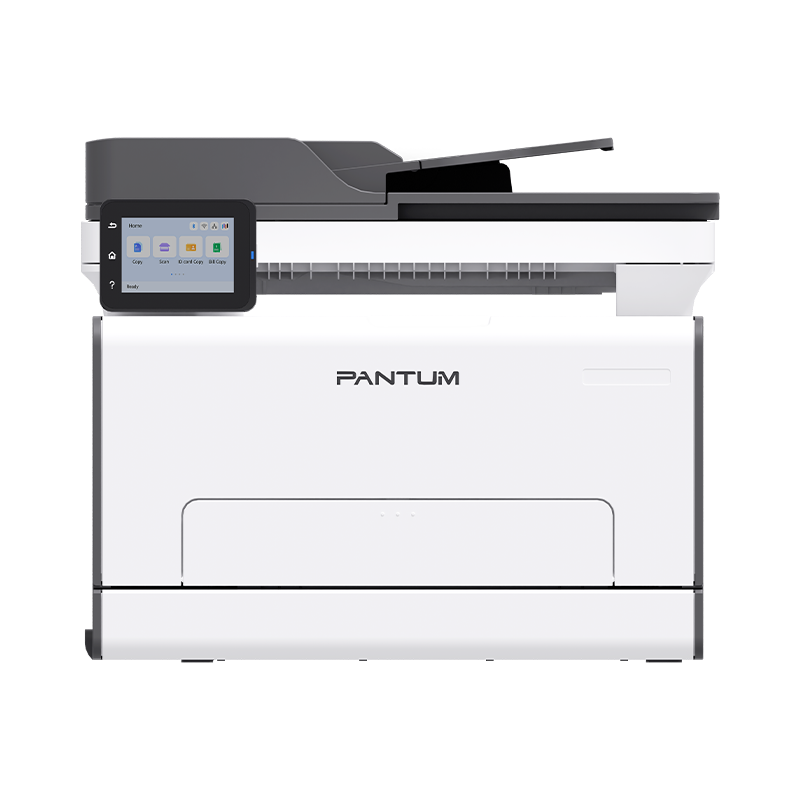
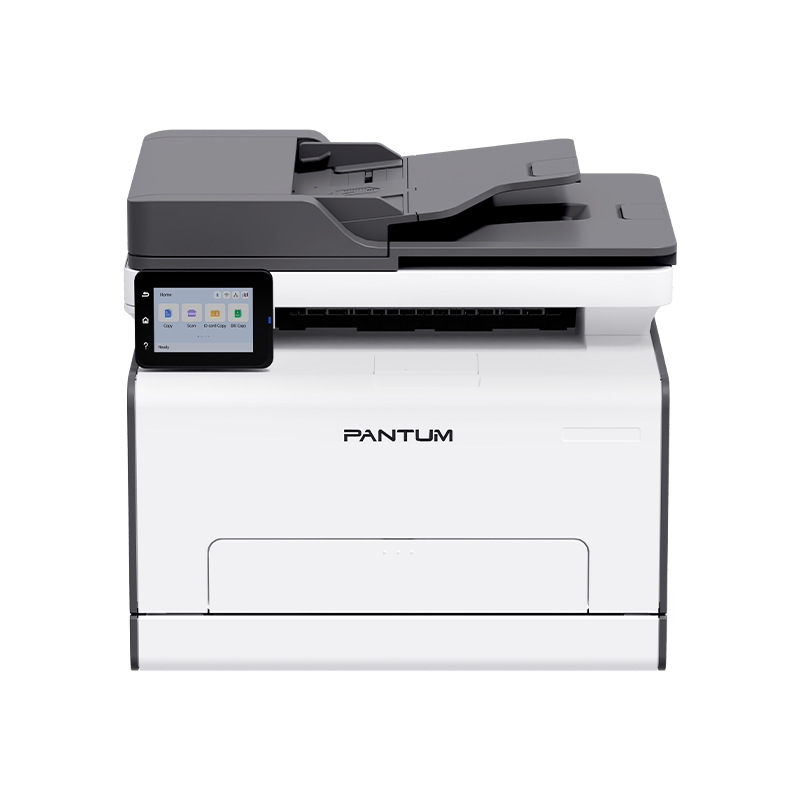
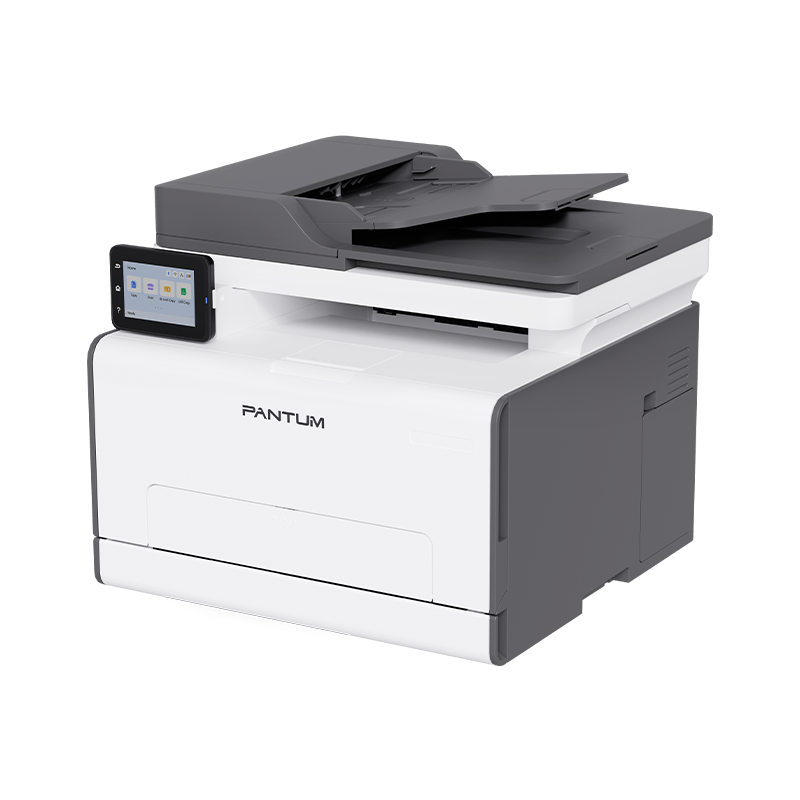
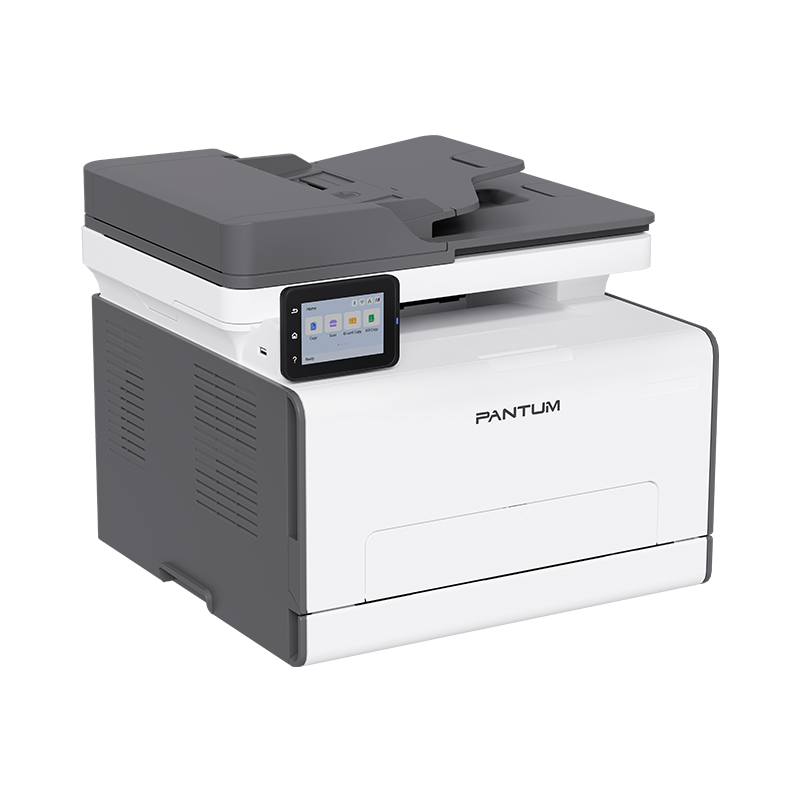
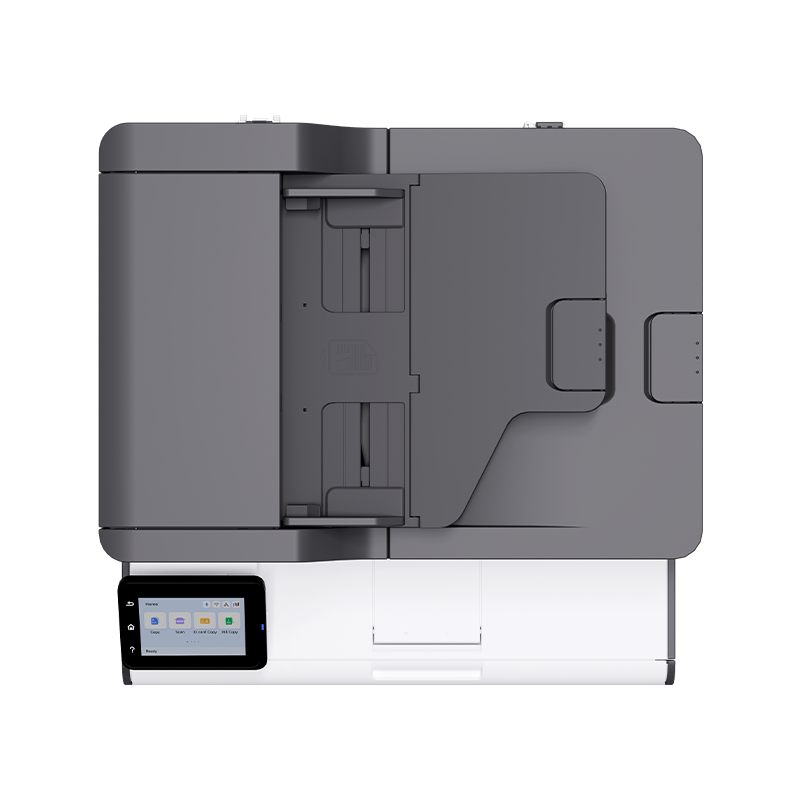
CM2800ADW PLUS Color laser multifunction printer

  • Printing speed: 25ppm
  • Connection method: USB+NET+Wi-Fi
  • Basic function: Print, Copy, Scan
  • Special function:
  • -One-step driver installation
  • -Automatic duplex color printing,copying and scanning
  • -3.5 inch color touch screen
  • -50-sheet DADF
  • -Protect your data with secure print
  • Other Product:
    Select a product
CM2800ADW PLUS
Color with Clarity, Print with Efficiency
High-Speed Duplex Document Handling
Power through tasks with 25ppm A4 printing—fast, quiet, and crisp. The 50-sheet DADF automates duplex copying and scanning. Cut manual work, reduce wait times, and keep productivity flowing.
Instant Setup, Intuitive Control
Start printing in seconds with one-step driver installation, and navigate with ease via a 3.5-inch tiltable touchscreen (adjustable up to 60° for ergonomic comfort). No hassle, just seamless operation.
Smart Toner Management
Intelligently optimizes color toner usage based on image saturation, slashing costs without compromising on sharp, vibrant outputs. Print confidently, save consistently.
Secure Print for Confidential Data
Protect sensitive documents with PIN-protected secure print: a 4-digit code ensures only authorized users release jobs, keeping confidential files safe from unauthorized access.
Flexible Connectivity for Teams & On-the-Go
Built for SMBs with gigabit Ethernet, dual-band Wi-Fi (2.4G/5GHz), and USB. Print wirelessly from phones/tablets via AirPrint, Mopria™ Print Service and Mopria™ Scan, Wi-Fi Direct, or the Pantum App.

* The mobile printing function requires the installation of a Wi-Fi module.
* Apple, AirPrint Mac and macOS are trademarks of Apple Inc., registered in the U.S and other countries. Use of the Works with Apple badge means that an accessory has been designed to work specifically with the technology identified in the badge and has been certified by the developer to meet Apple performance standards.
* Mopria makes it easier to print and scan from your Android and Windows. For Android, Mopria Print Service and Mopria Scan are available for installation in the Google Play store. If you want to get more information, please visit https://www. mopria. org The Mopria wordmark and the Mopria Logo are registered and/or unregistered trademarks of Mopria Alliance, Inc. in the United States and other countries. Unauthorized use is strictly prohibited.

Scan to Edit
Turn scans, images, and PDFs into editable formats (DOCX, XLS, PPTX, TXT, searchable PDFs) with 95%+ accuracy. Supports BMP, JPEG, PNG, TIFF—enhancing document reusability and efficiency.
Product Specifications
Product
Product CM2800ADN PLUS
General
Control Panel 3.5-inch color touchscreen
Processor Speed 1GHz
Memory 2GB
Flash Memory 4GB-EMMC
Recommended Monthly Page Volume 150-1500 pages
Maximum Monthly Duty Cycle 30000 pages
Connectivity USB2.0(High Speed)
IEEE 802.3 10/100/1000Base-Tx
Wi-Fi(2.4G/5G), IEEE802.11a/b/g/n
Bluetooth(for network configuration)
Power 110V Model: 100-127V~, 50/60Hz, 8A
220V Model: 220-240V~, 50/60Hz, 4A
Power Consumption Print Average: ≤380W
Standby: ≤25W
Sleep: ≤2W
Off: ≤0.5W
Energy Star Energy Star 3.2
Noise Standby(Sleep/Ready/Standby) : ≤30dB(A)
Print(Warm-up): ≤54dB(A)
Scan: ≤54dB(A)
Copy: ≤56dB(A)
Silent Mode: ≤50dB(A)
Operating Environment Operating Temperature: 10~32℃
Relative Humidity: 20%~80%RH
Altitude: ≤3000m
Networking Features
Supported Network Protocols TCP/IP(IPv4) TCP/IP(IPv6)
Network Printing Methods Direct IP(port 9100), LPR/LPD, IPP/IPPS, WSD, Airprint, Mopria
Network Management Protocols DHCP, SNMPv1/2/3, DNS, HTTP/HTTPS, NetBIOS, LLMNR, SLP, Ping, ICMP, AutoIP, Bonjour, DHCP Server, AirPrint, Mopria
Network Security Protocols IPPs, SNMPv3, HTTPs(TLS1.2), WPA2 / WPA3
Paper Handling
Paper Input Capacity Standard tray: 250 pages
Multipurpose tray: 1 page
Optional tray: Not supported
Paper Output Capacity 100 pages(80g)
Output Tray Paper Full Detection YES
Optional Accessories NO
Media Type Thin paper: 60~70g(excluding 70g);
Plain paper 1: 70~90g(excluding 90g);
Plain paper 2: 90g-105g(including 90g and 105g);
Thick Paper 1: 105~130g(excluding 105g, including 130g);
Thick Paper 2: 130g-176g(excluding 130g, including 176g);
Thick Paper 3: 176g-200g(including 200g);
Envelope/Cardstock/Label/Transparency
Media Size A4、 Letter、 Legal、 Folio、 Oficio、 JIS B5、 ISO B5、 Executive、 Statement、 A5、Big 16K、16K、Big 32K、32K、 A6、 No.10 Env、 Monarch Env、 DL Env、 C5 Env、 C6 Env、 Yougata4、 Younaga3、Nagagata3、 ZL、 Postcard、B6、 Japanese Postcard
Customize: min: 96x148mm max: 216x356mm
Media Weight Standard tray: 60g~105g/㎡
Multipurpose tray: 60g~200g/㎡
Duplex Printing: 70g~105g/㎡
Consumable
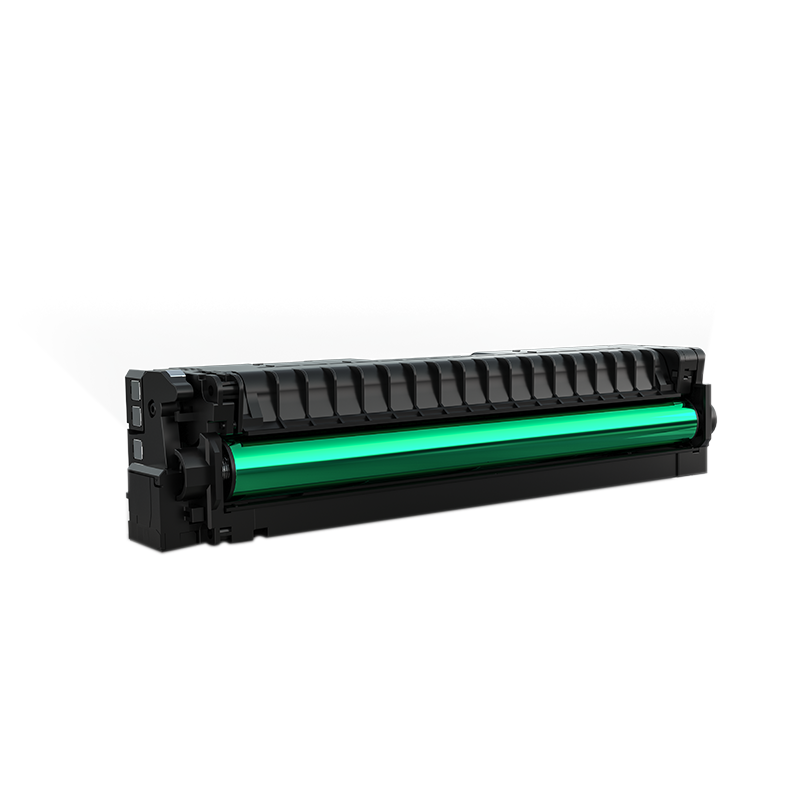
Consumable Type One-piece
Starter Cartridge Black: CTL-*2800K: 1500 pages(Lock)
Color: CTL-*2800C/CTL-*2800M/CTL-*2800Y: 1000 pages(Lock)
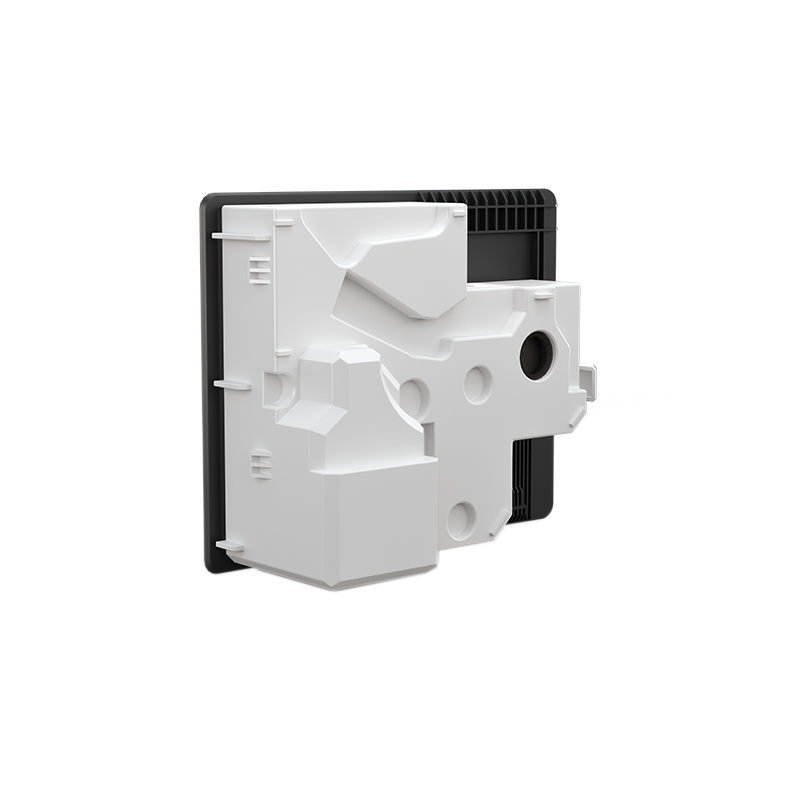
Waste Toner Bottle: CWT-2800: 15000 pages
Standard Cartridge Black
CTL-*2800K: 1500 pages(Lock)、
CTL-*2800HK: 3000 pages(Lock)、

Color
CTL-*2800C/CTL-*2800M/CTL-*2800Y: 1000 pages(Lock)、
CTL-*2800HC/CTL-*2800HM/CTL-*2800HY: 2500 pages(Lock)、

Waste Toner Bottle CWT-2800: 15000 pages
Waste Toner Bottle Capacity CWT-2800: 15000 pages
Packaging
Printer Dimensions(W*D*H) 415*403*346mm
Package Dimensions(W*D*H) 557*512*456mm
Printer Net Weight(kg)(with starter cartridge) 19.5kg
Printer Gross Weight(kg) 22.5kg
Standard Cartridge Dimensions(W*D*H) 292*63*64mm
Standard Cartridge Package Dimensions(W*D*H) 395*120*123mm
Standard Cartridge Net Weight(kg) Approx. 0.675kg
Standard Cartridge Gross Weight(kg) Approx. 0.92kg
Remark
1. The maximum monthly printing load is the number of paper pages that can be output by a certain device in a long-term operation within a month. This metric can be used to compare the durability of other Pantum printers or MFPs.
2. The recommended number of printed pages per month is the range of pages to help customers evaluate product supply based on the average number of pages that customers plan to print on the device each month. Customers are advised that the number of pages printed per month should be within the device's recommended range for optimum performance. In addition, other factors that should be considered include: consumable replacement intervals, paper loading intervals, print speeds, and typical applications of the customer.
3. The capacity of the toner cartridge is the average printing volume of the toner cartridge in the test one-sided(single-sided) mode when printing continuously, according to the ISO/IEC 19798(color machine) / ISO/IEC 19752(black and white machine) standard. Actual yields may vary based on device speed, paper size and orientation, toner coverage, tray source, percentage of black-only printing and average print job complexity, among other factors.
4. The specifications of paper input capacity and paper output capacity are affected by the printing environment, paper brand, paper weight, etc., and the actual specifications may vary.
Print
Print Speed A4/LTR: 25ppm/26ppm
Duplex Print Speed A4/LTR: 14ipm
First Print Out Time Mono: 10s、Color: 12s
Print Language PCL6、PS3、PDF
Duplex Printing YES
Direct USB Printing YES
Mobile Printing Airprint、Mopria™ Print Service,Mopria Scan、Wi-Fi Direct、
Pantum APP
Other Printing Functions N in 1 printing
Poster printing
Watermark printing
Booklet printing
Print Text As Black
Mono printing when color powder is over
Borderless Printing(For documents requiring cross-page seal printing)
Automatic Red Color Enhancement(For official red-header documents)
Mute Printing
Blank Page Skip Printing
Secure PIN Printing
Direct USB Printing
Mirror Image Printing
Energy-Saving Color Toner Mode
Interrupt Print Function(During Copying / Scanning Tasks)
Pantum mobile printing APP
toner save mode
auto power-on function
setting memory function
Pantum PIPME
Pantum Print Management Software(PPMS)
Printer access control: USB drive permission, SNMP V1/V2, SNMP V3 toggle
Ignore paper size mismatch
A4 top/bottom half page → A5 Landscape mode
Print by specified size
Operating System Windows: 7/8.1/10/11/Server 2008/Server 2008 R2/Server 2012/Server 2012 R2/Server 2016/Server 2019/XP/Vista and above
Mac: 10.11/10.12/10.13/10.14/10.15/11/12/13/14/14.1/14.2/14.3/15/26(64-bit)
Linux: Ubuntu 16.04, Ubuntu 18.04, Ubuntu 20.04, Ubuntu 22.04, Ubuntu 24.04 / Debian 10.0 / CentOS 7(32/64 Bit); Astra Linux Special Edition V1.6/V1.7 / Red Hat 8.2.0, CentOS 8.2(64 Bit)
Google : 109.0.5414.125 and above
Compatible with HP universal driver
Android: Android 8.0 and above;
IOS: iOS 11.0 and above;
Harmony: v2.0、v3.0
Copy
Copy Speed A4/LTR: 25cpm/26cpm
Duplex Copy Speed DADF: 13ipm
First Copy Out Time FB: <17s(Default)
DADF: <18s(Default)
Copy Mode Auto、Text、Image、Text+Image
Copy Resolution FB: Max.600x600dpi
DADF: Max.600x600dpi
Copy Reduce / Elarge Settings 25%-400%
Max.Copy Page 99 pages
Other Copy Functions Intelligent Document Color Detection(Copy Mode)
ID Card Copy Mode
Receipt Copy Mode
Multiple Pages on One Sheet Copy
Clone Copy
Watermark Copy
Poster Copy
Edge Erase for Copying
Booklet Copy
Collated Copy
Scan
Scan Technology ADF: CIS;DADF: Dual CIS
Scanner Type FB+DADF
Scan Mode Color、Gray、Mono
Scan Speed A4 Mono & Color(300 x 300 dpi):
DADF: 26ppm
LTR Mono & Color(300 x 300 dpi):
DADF: 27ppm
Duplex Scan Speed A4 Mono & Color(300 x 300 dpi):
DADF: 26ppm(52ipm)
LTR Mono & Color(300 x 300 dpi):
DADF: 27ppm(54ipm)
ADF Capacity 50 pages(80g/m2)
Max. Resolution FB: Max.1200x1200dpi
DADF: Max.600x600dpi
Max. Scan Size FB: Max. 216 mm x297mm
DADF: Max. 216 mm x356mm
Scan To PC/Email/FTP/U flash drive/SMB
Scan Format JPEG、BMP、PNG、TIFF、PDF、OFD、PDF/A
Windows:
Push Scan: JPEG、BMP、PNG、PDF、OFD
Pull Scan: JPEG、BMP、PNG、PDF、PDF/A、OFD、TIFF
Linux:
Pull Scan: JPEG、PDF、PNG、TIFF
Push Scan: Not supported
Mac:
Scanning on Mac is only available through PS's plugin interface. File format selection is not supported in this mode.
Pantum Scan Application YES
Other Scan Function Automatic skew correction for scans
Automatic cropping for scans
ID card scanning mode
Automatic skew correction for ID card scans
Pantum scanning application
Scan-to-USB
OCR text recognition
Faded content restoration
Descreening
Noise optimization
Edge-to-edge scanning
Image adjustment(Gamma / Threshold)
Image adjustment(Histogram / Tone Curve)
Merged scanning
Blank page skipping during scanning
Edge removal for scanned files
Background removal for scans
Document splitting & separation after scanning
Color filtering for scanning
Scanned document encryption(Encrypted PDF format)
Scanned document compression(Save compression settings, compressed PDF format)
Editing and re-saving of scanned images & documents
Multi-page-in-one scanning
Automatic orientation correction for scanned documents
OCR YES
This website will use cookies and similar technologies to enhance the user experience and to maintain as smooth a service as possible for each visitor. For more information, please visit our Cookies Policy
By clicking on the 'X' button, you agree to our use of Cookies this time